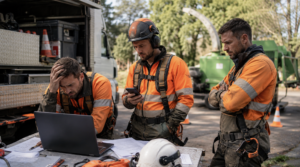
Arborists work in one of the most physically demanding and unpredictable service industries. Crews climb trees, operate heavy equipment, manage hazardous removals, respond to storm damage, inspect properties, prepare estimates, and communicate with customers who often need immediate help. The visible work happens outdoors, but a growing portion of an arborist company’s success depends on what happens behind the scenes.
That is where information technology enters the picture.
According to Wikipedia’s overview of information technology, IT includes the computer systems, telecommunications equipment, networks, and digital tools used to create, store, process, retrieve, and transmit information. For an arborist company, that can include office computers, mobile phones, estimating software, scheduling platforms, customer databases, cloud storage, email accounts, online forms, mapping tools, payment systems, and website hosting.
When these systems work together, they help an arborist company respond faster, schedule efficiently, protect customer information, and complete more work. When they are outdated, disconnected, or poorly protected, they quietly drain time and revenue. 🌳💻
Missed Calls Often Become Missed Tree-Service Jobs
A homeowner with a dangerous tree leaning toward a house rarely contacts one company and patiently waits several days for a response. The customer may call several tree-service providers, submit multiple online forms, or search for another company while waiting for someone to return a message.
An arborist may be completing a removal, operating equipment, meeting with a property manager, or inspecting storm damage when that call arrives. Without a reliable phone system, automated response process, or shared customer-management platform, the inquiry may remain buried in a voicemail inbox until the opportunity is gone.
Modern IT systems can route calls to available staff members, create transcripts, send automatic text confirmations, and record the customer’s information in one location. The office can see who called, when the person called, why assistance is needed, and whether someone has followed up.
This becomes especially important when storms move through an area. A sudden surge of calls can overwhelm a basic phone line and a handwritten message pad. A cloud-based phone system and organized intake process allow the company to separate emergencies from routine pruning requests while maintaining a record of every inquiry.
People searching for Arborists Near Me are often ready to contact a professional. A company’s ability to capture and respond to that demand can matter just as much as its ability to rank in the search results.
Disconnected Systems Create Hours of Unnecessary Work
Many arborist companies gradually collect different digital tools without creating a clear system. Customer information may be stored in an email account, estimates may be saved on one computer, schedules may be written on a whiteboard, job photos may be stored on personal phones, and invoices may be managed through another program.
Each tool may perform its individual function, but employees lose time transferring information between them. A customer gives the same details to several people. An estimator sends notes to the office. The office retypes the information into an invoice. A crew member calls for the address because the original message was never added to the schedule.
These small interruptions rarely appear as a major expense on a financial statement. They still cost the company money. Ten minutes spent searching for a photo, correcting an address, locating an estimate, or confirming a job detail becomes several hours when repeated across an entire week.
An integrated customer relationship management system can connect inquiries, inspection notes, estimates, approvals, schedules, photographs, invoices, and follow-up messages. Employees spend less time searching for information and more time completing work that produces revenue.
Outdated Scheduling Can Reduce Crew Productivity
Arborist scheduling involves more than placing a customer’s name on a calendar. The company may need to coordinate climbers, ground crews, bucket trucks, cranes, chippers, traffic-control equipment, subcontractors, permits, utility notifications, and disposal arrangements.
A scheduling error can send the wrong crew to a property, leave a needed machine at another job, or create unnecessary driving between distant locations. Weather changes can make the original schedule unusable, forcing the office to contact several customers and rearrange work quickly.
A centralized scheduling platform gives office staff and field crews access to the same information. Job locations, arrival windows, equipment requirements, customer notes, photographs, and work orders can remain attached to each appointment. Changes can appear immediately rather than waiting for a phone call or printed schedule.
Mobile access is particularly valuable for crews that begin the day away from the office. Employees can review updated instructions before driving to the property. Managers can also group jobs geographically, reduce unnecessary travel, and make better use of equipment and labor.
Weak Cybersecurity Can Shut Down an Arborist Company
Arborist companies may not consider themselves attractive targets for cybercriminals, but they often store valuable information. Business systems can contain customer names, addresses, phone numbers, payment records, employee details, banking information, contracts, insurance documents, and login credentials.
The Cybersecurity and Infrastructure Security Agency’s small-business guidance notes that cyber incidents have increased among smaller organizations that may lack the resources to defend themselves. A small company does not need to possess millions of customer records to experience serious damage. Losing access to email, schedules, estimates, accounting files, or customer records can interrupt operations immediately.
Ransomware can lock employees out of essential files. A stolen email password can allow a criminal to send fraudulent invoices. A compromised website can redirect visitors, display spam, or disappear from search results. An infected office computer can spread malicious software through shared files.
The National Institute of Standards and Technology’s small-business cybersecurity resources encourage smaller organizations to identify their important systems, understand cybersecurity risks, and establish practical protections. These protections do not require an arborist company to build an enterprise-level security department. They require consistent habits, documented procedures, and properly maintained technology.
Password Problems Create Avoidable Risk
Shared passwords remain common in small businesses. Several employees may use the same login for email, scheduling software, social media, or cloud storage. The password may be written on paper, sent through text messages, or reused across multiple platforms.
This creates problems whenever an employee leaves the company, loses a phone, or accidentally shares credentials. Changing one password may disrupt everyone, while leaving it unchanged may allow continued access by someone who no longer works for the business.
Individual user accounts provide better control. Employees can receive access based on their responsibilities, and the company can remove that access without changing every login. Multifactor authentication adds another layer of protection by requiring more than a password.
The Microsoft Security Blog’s small and medium business coverage regularly addresses the growing security challenges faced by companies with limited internal technology resources. Its guidance emphasizes that smaller organizations still need modern protection against increasingly sophisticated attacks.
Unmanaged Phones and Tablets Can Expose Company Information
Field employees depend on mobile devices for directions, customer communication, photographs, estimates, weather updates, and job documentation. These devices improve productivity, but they also carry business information beyond the office.
A lost phone may contain customer addresses, gate codes, job photographs, email access, saved passwords, and payment information. A former employee’s personal device may continue receiving company messages long after employment ends.
A practical mobile-device policy can establish which applications employees may use, where company files should be stored, how devices must be secured, and what happens when someone leaves the company. Screen locks, encryption, remote-wipe capabilities, automatic updates, and separate business accounts reduce the likelihood that one misplaced phone will become a company-wide problem.
The Google Safety and Security updates provide ongoing information about account protection, privacy, security features, and emerging digital threats. Following reliable IT news helps business owners recognize when mobile and online security practices need to be updated.
Poor Data Backup Can Turn an Accident Into a Crisis
Tree work carries physical risks, but digital accidents can be just as disruptive. A computer can fail. A phone can be dropped from a truck. A file can be deleted. An office can experience fire, theft, flooding, or storm damage. Malware can corrupt an entire folder.
A backup is useful only when it contains the correct information, runs consistently, and can be restored when needed. Saving files to an external drive beside the office computer provides limited protection if both devices are damaged or stolen.
A stronger backup plan keeps multiple copies of essential information and stores at least one copy away from the primary location. Cloud backup can protect estimates, contracts, accounting records, customer information, job photographs, and operational documents. Restoration procedures should also be tested periodically so the company knows the files are usable.
The Federal Trade Commission’s cybersecurity resources for small businesses focus on protecting networks, recognizing common attacks, securing devices, and reducing the loss of business information and money. These resources reinforce the importance of treating cybersecurity as a normal part of business management rather than an emergency expense.
A Slow Website Can Send Customers to Competitors
An arborist company’s website often serves as its first office. Customers use it to evaluate services, confirm service areas, review qualifications, view project photographs, find emergency information, and request estimates.
A slow, outdated, or poorly maintained website creates doubt. Broken forms prevent leads from reaching the company. Expired security certificates display warnings. Old phone numbers create confusion. Missing service pages make it difficult for search engines to understand what the company offers.
Website maintenance belongs within the company’s broader IT strategy. Software updates, security monitoring, reliable hosting, backups, spam protection, and form testing help keep the website operational. Analytics can reveal which pages attract visitors and where potential customers leave.
A strong website still requires a reliable internal process. An online form has little value when submissions go to an inbox nobody checks. Website leads should enter the same organized follow-up system used for phone calls and referrals.
IT Problems Can Damage Customer Trust
Customers may never see an arborist company’s technology, but they experience its effects. They notice when calls are returned promptly, estimates arrive when promised, appointment reminders are accurate, invoices are professional, and employees have the correct job details.
They also notice duplicated messages, lost paperwork, conflicting appointment times, unanswered emails, and invoices containing mistakes. These issues may appear administrative, but customers often interpret them as signs of how the company manages its fieldwork.
Reliable technology supports a consistent customer experience from the first contact through final payment. It also helps preserve records when a customer requests documentation, an insurance company needs photographs, or a property manager asks for previous work history.
IBM’s cybersecurity resources explain that modern security includes protecting systems, devices, applications, and data while maintaining access for authorized users. For an arborist company, that availability matters because crews and office staff need dependable information throughout the workday.
Regular IT Maintenance Costs Less Than Emergency Recovery
Technology is often ignored while it appears to be working. Updates are postponed, old devices remain in service, backups go untested, and former employees keep access to accounts. The company reacts only after an email stops working, a computer fails, or a security incident occurs.
Emergency repairs are usually more expensive and disruptive than planned maintenance. Regular reviews can identify outdated software, unsupported hardware, weak passwords, unnecessary accounts, storage problems, and failing backup systems before they interrupt the business.
An arborist company does not necessarily need a full-time IT employee. A dependable outside provider can maintain systems, manage security, document accounts, assist employees, and recommend improvements based on the company’s size and workflow.
Following resources such as the AWS Security Blog can also help business owners and technology providers stay informed about security updates, identity management, cloud protection, threat intelligence, and changing digital risks.
Conclusion
The most expensive IT problem in an arborist company is often not a broken computer. It is the collection of small technology failures that quietly interfere with daily operations.
Missed calls cost jobs. Disconnected software wastes time. Weak passwords expose accounts. Poor backups threaten business records. Outdated websites discourage customers. Unmanaged devices place sensitive information at risk. Each problem may appear minor until several occur at once.
A practical IT strategy connects the company’s phones, website, scheduling, customer records, field devices, security, and backups. It creates a reliable flow of information from the customer’s first contact to the crew’s final job report.
Arborists already maintain saws, trucks, climbing equipment, chippers, and safety gear because dependable tools protect employees and keep work moving. Their technology deserves the same attention. When IT systems are organized, maintained, and secured, the company can respond faster, protect its reputation, use its crews more efficiently, and stop losing valuable work to preventable problems. 🌲